Native Kanban, Unblocked for macOS
Cards Uncaged
Finally, Kanban that feels right. No more modals blocking your view. Open cards side by side, the way you think.
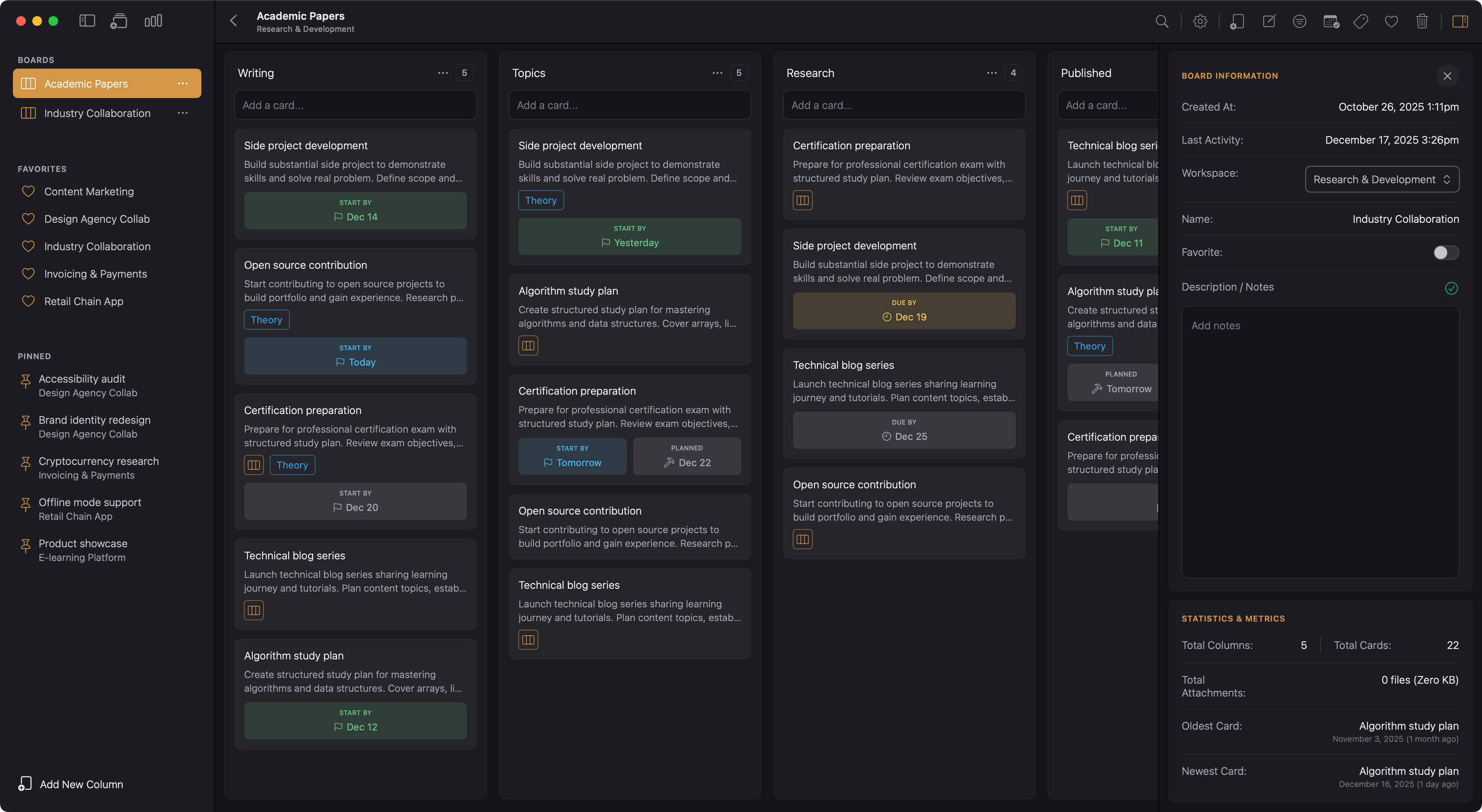
Modals weren't built for real work
That's why Kanodo lets you open cards in their own windows. So you can work side by side, not one thing at a time.
Forever Trapped in Modals
Ever try to compare two tasks and find yourself clicking back and forth? Open a card, read it, close it, open another, forget what the first one said. Most kanban apps trap cards in modals that block your view.
Other tools promise flexibility but deliver bloat. They try to be databases, wikis, and spreadsheets all at once. You didn't need a second brain. You just needed a board that works.
Board Cards Re-Invented
Kanodo lets you open cards in their own windows. Work on related tasks at the same time. Compare without losing your place. Keep what matters visible while you focus.
When a task gets complex, break it down with a mini-board inside the card. No clutter on your main board, no nested folders. Just your work, organised the way you think. A native Mac app that works.
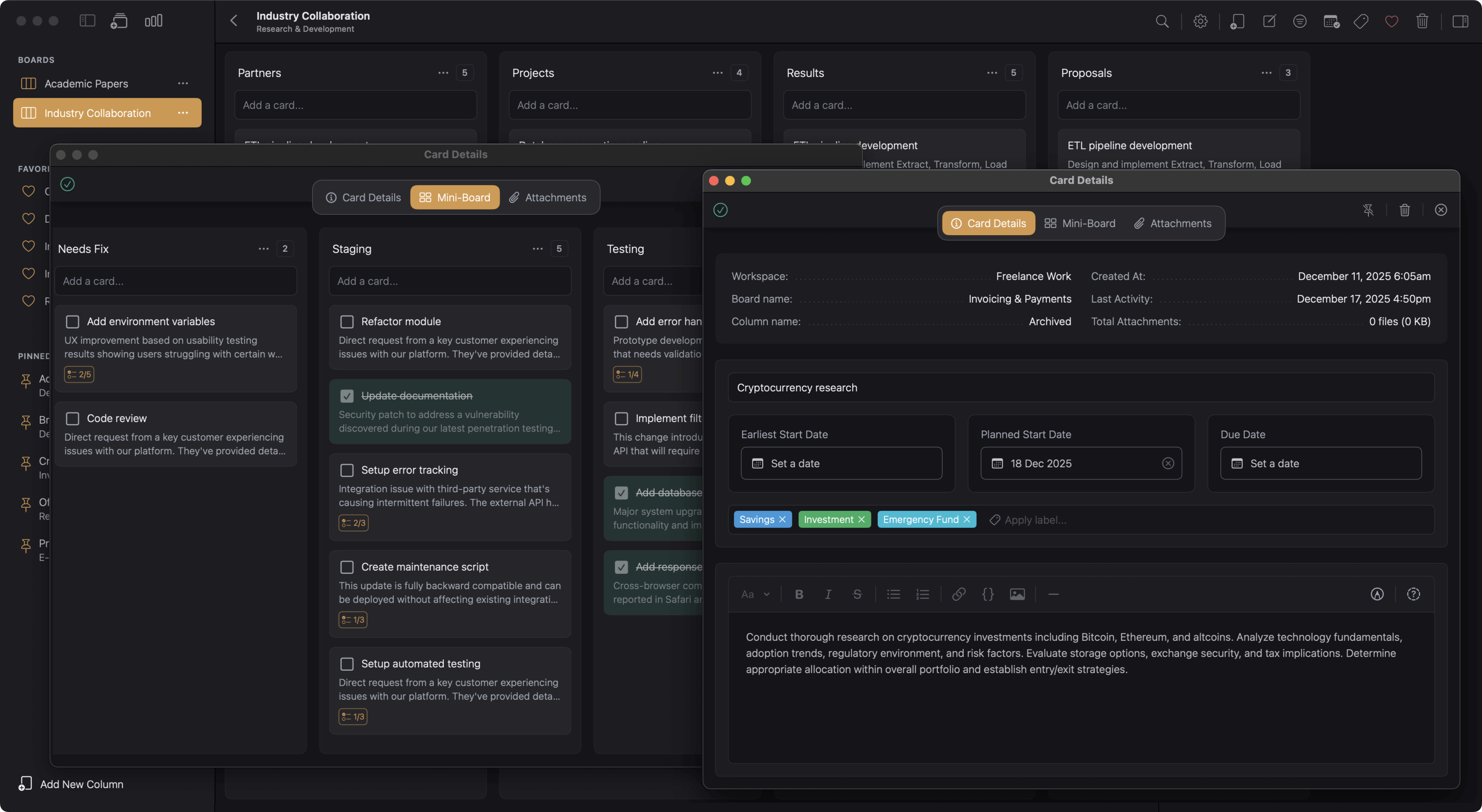
Cards on the Table
From boards to mini-boards, labels to dashboards. Here's what makes dragging cards so satisfying.
Cards in Windows
Open cards in their own windows. Compare side by side.
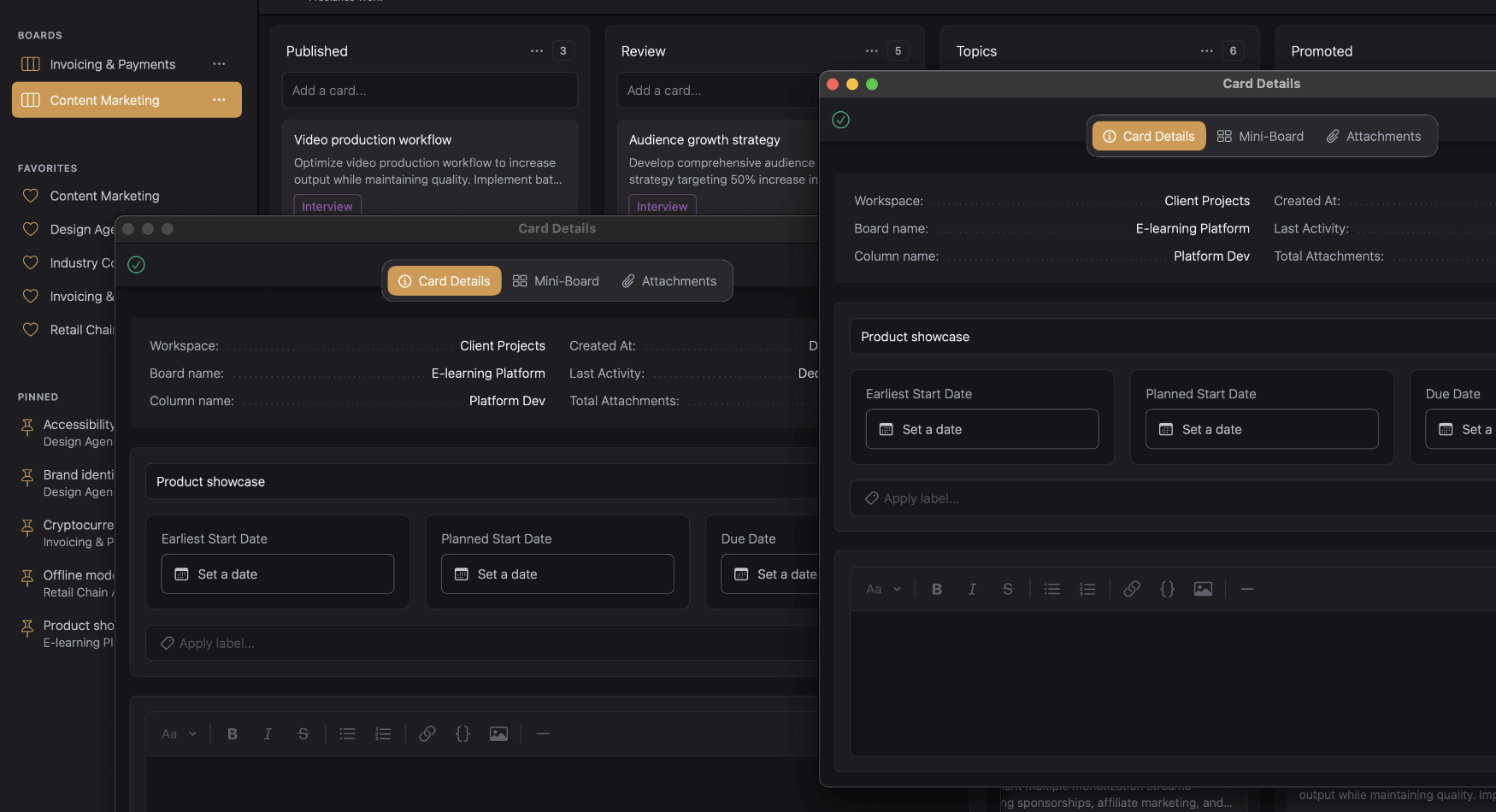
Most kanban apps trap cards in modals that block your board. Kanodo lets you open any card in its own window. Work on related tasks at the same time, drag windows where you need them, and never lose context switching between cards. Keep your board visible while you edit.
Mini-Boards
Break complex tasks into subtasks inside any card.
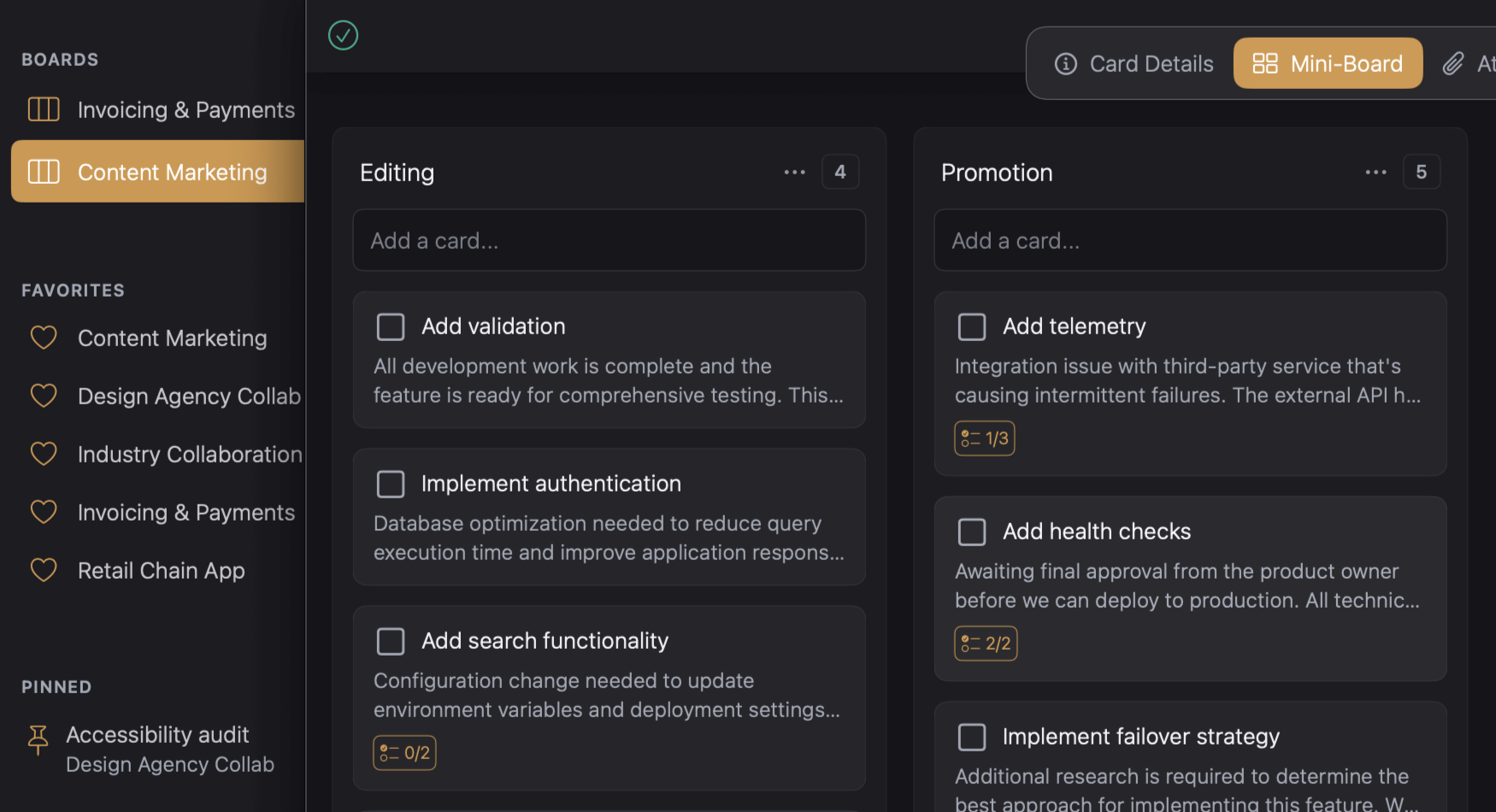
Some tasks need more than a title and due date. Kanodo lets you create a nested kanban board inside any card. Add mini-columns, mini-cards, and checklists to manage the details without cluttering your main board. Perfect for projects with multiple steps that belong together.
Workspaces
Separate work, life, and everything in between.
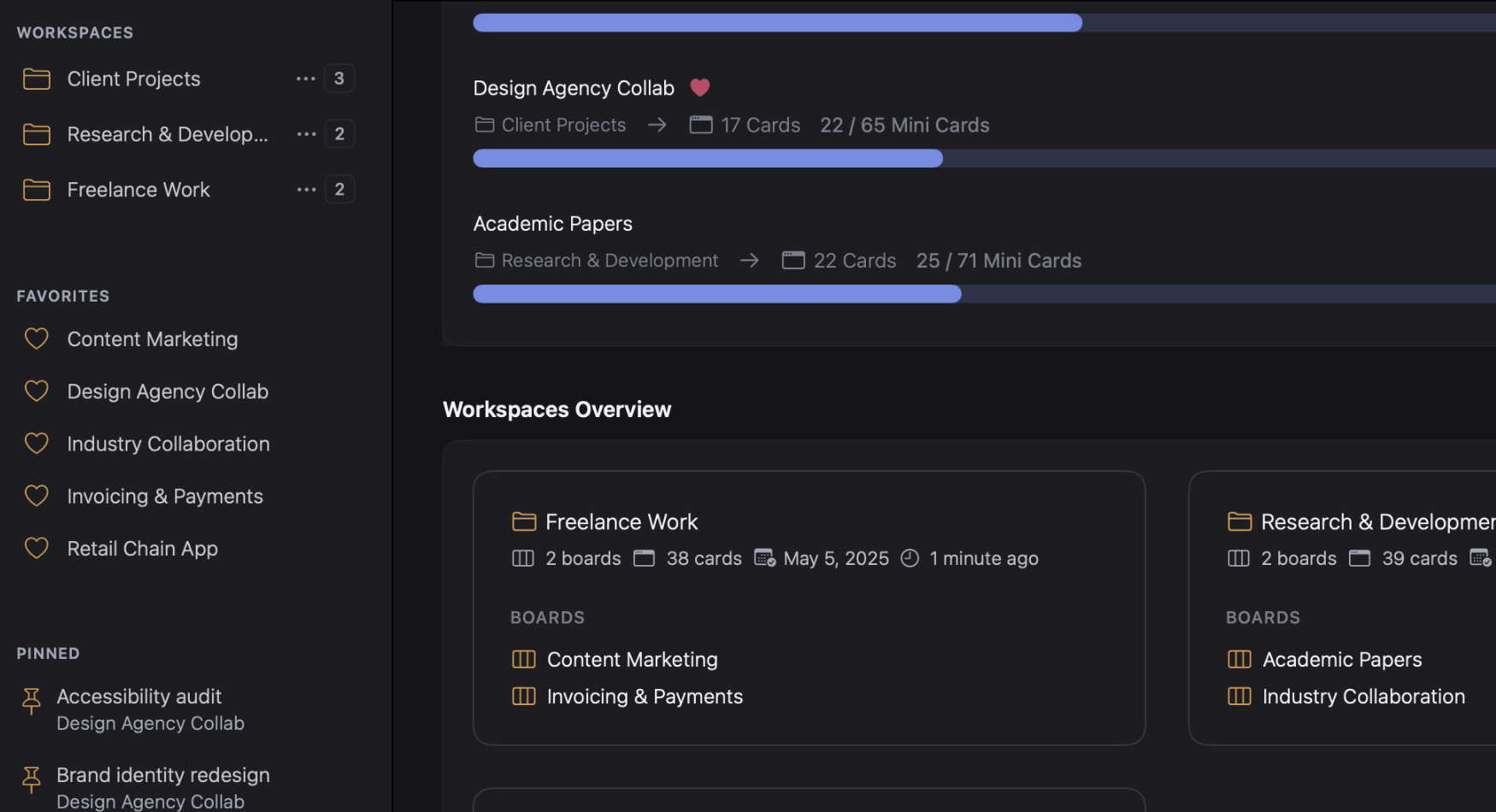
Keep your projects organised with workspaces for different areas of your life. One for work, one for home, one for side projects. Each workspace has its own boards, labels, and settings. Switch between them instantly and focus on what matters right now without distractions from other areas.
Visual Dashboards
See activity, deadlines, and progress at a glance.
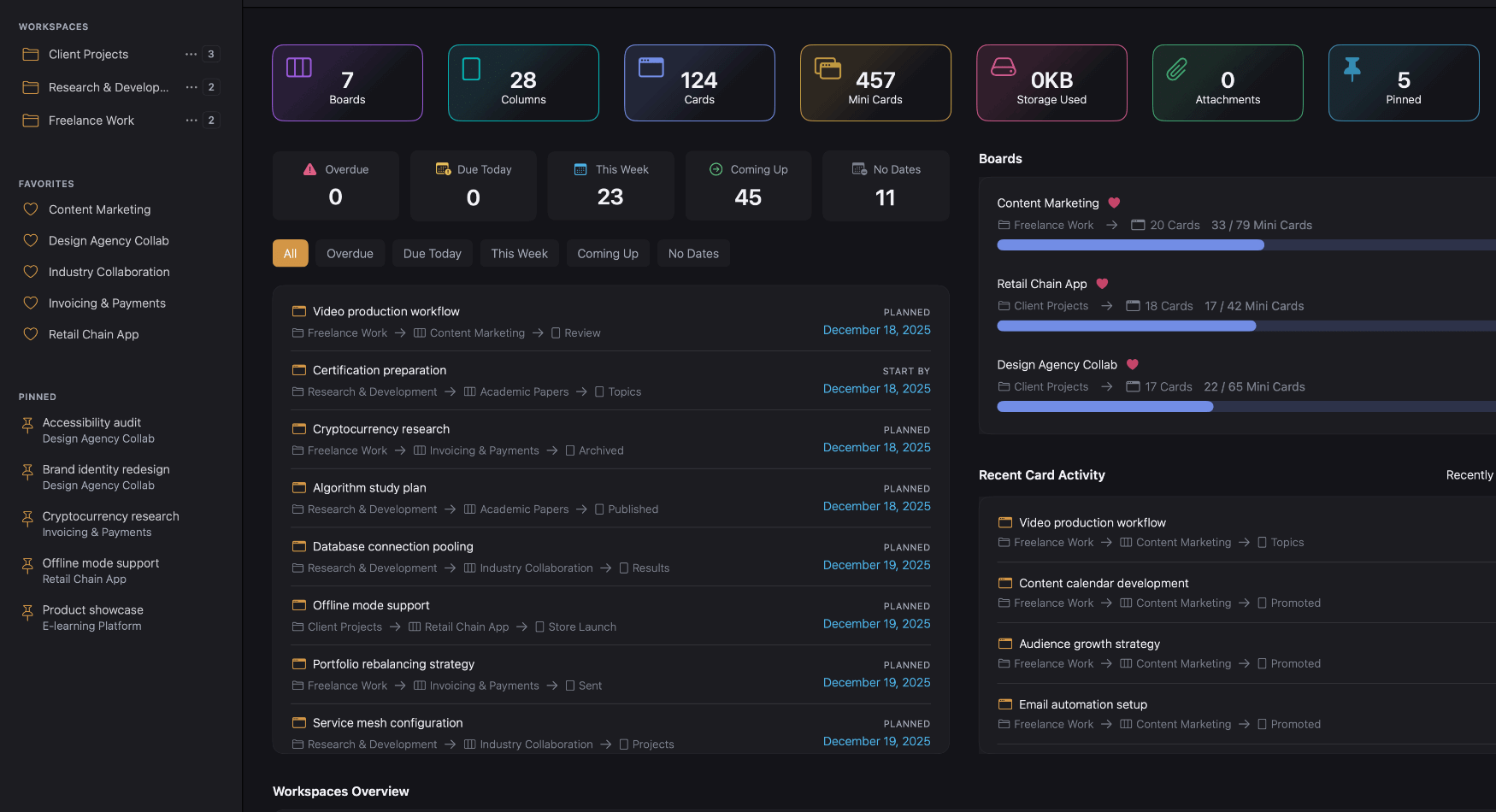
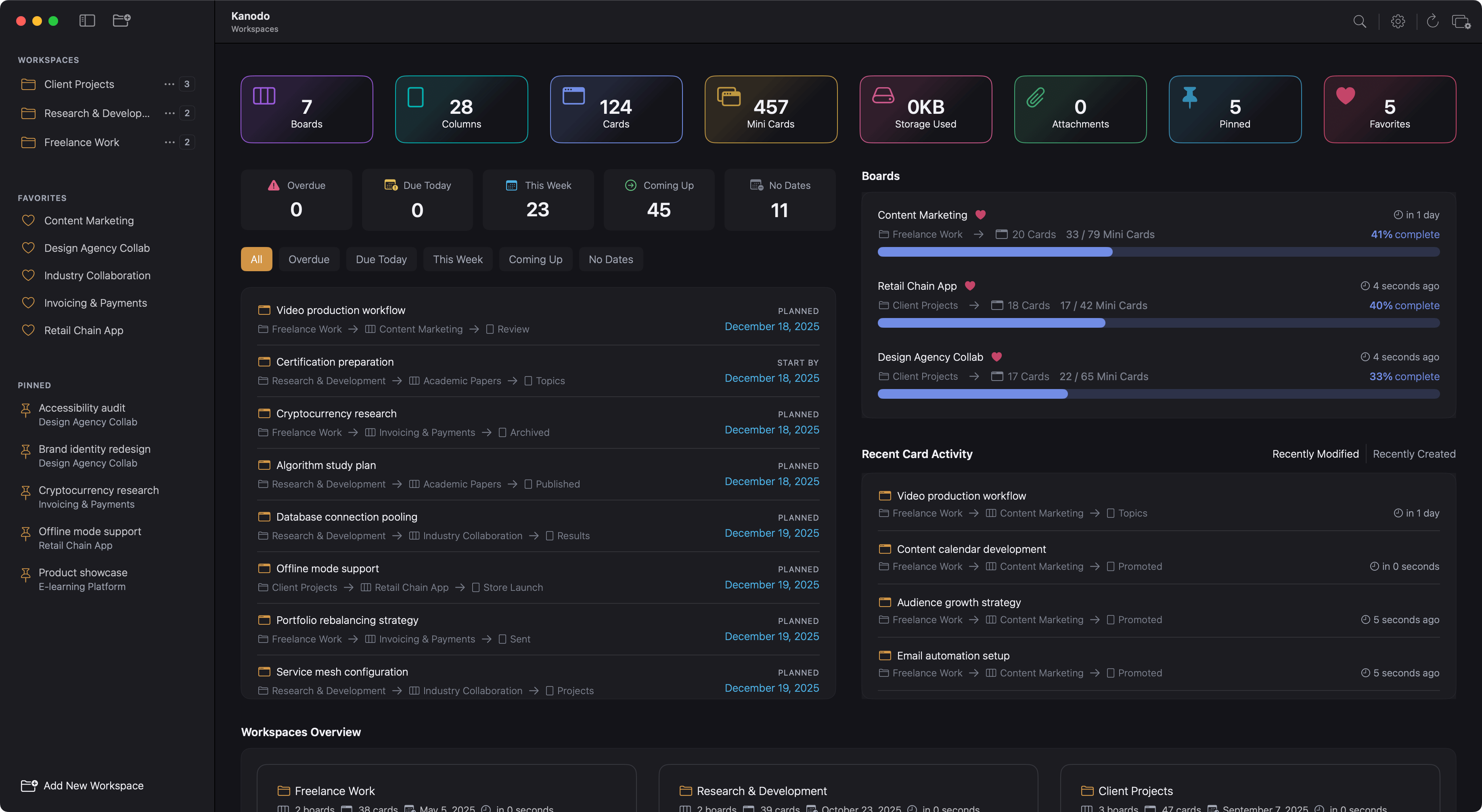
Dashboards give you an overview without opening every board. See recent activity, upcoming dates, card distribution across columns, and statistics for any workspace. Customise which widgets appear and get the insights you need to decide where to focus next. No digging required.
Labels & Filters
Tag cards with colours. Find them in seconds.
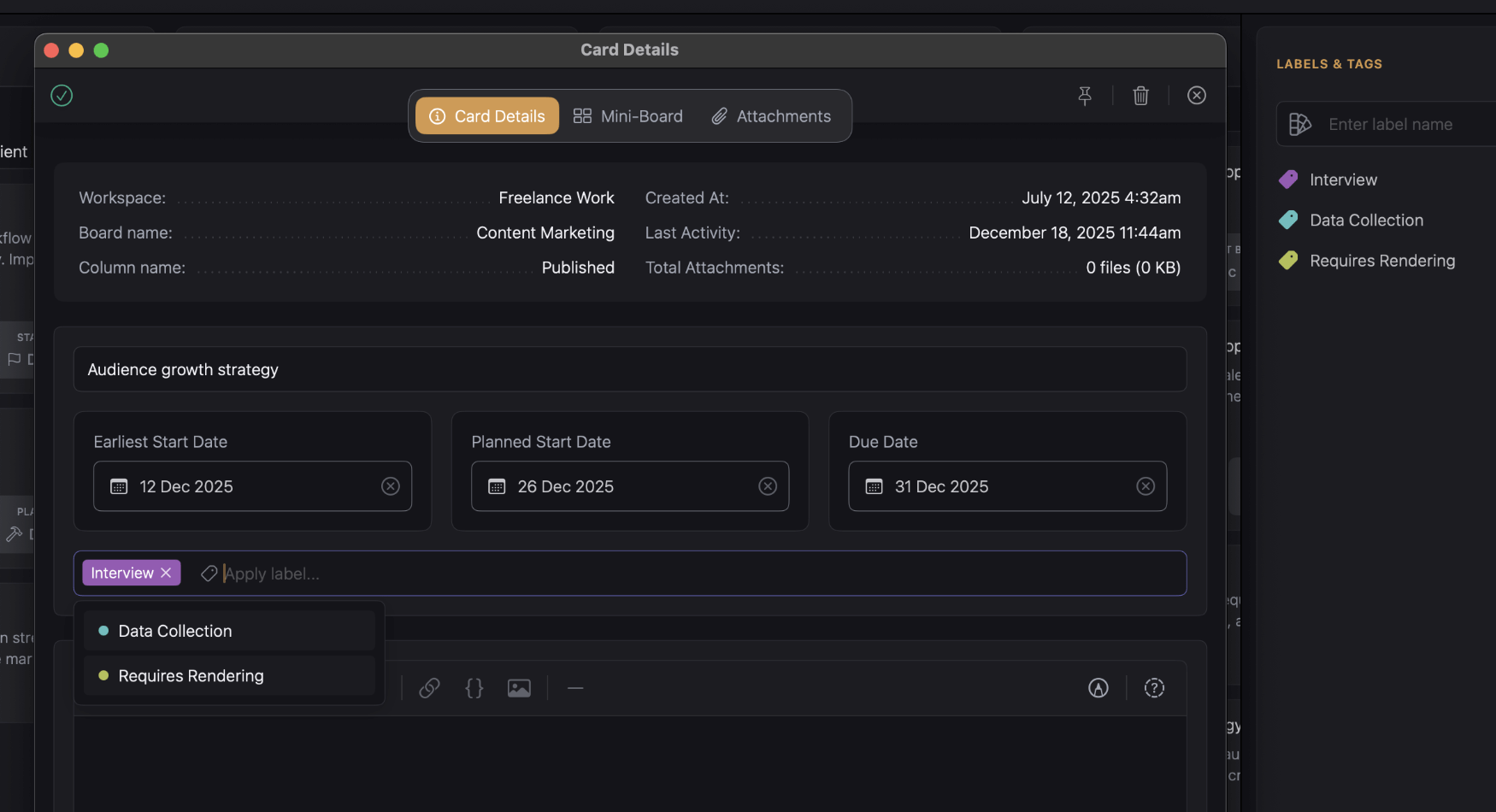
Create custom labels for each board to categorise your cards however you like. Priority levels, task types, areas of focus. Then use filters to show only what you need. Combine label filters with other criteria to narrow down exactly what you're looking for across any board.
File Attachments
Keep documents, images, and files with your tasks.
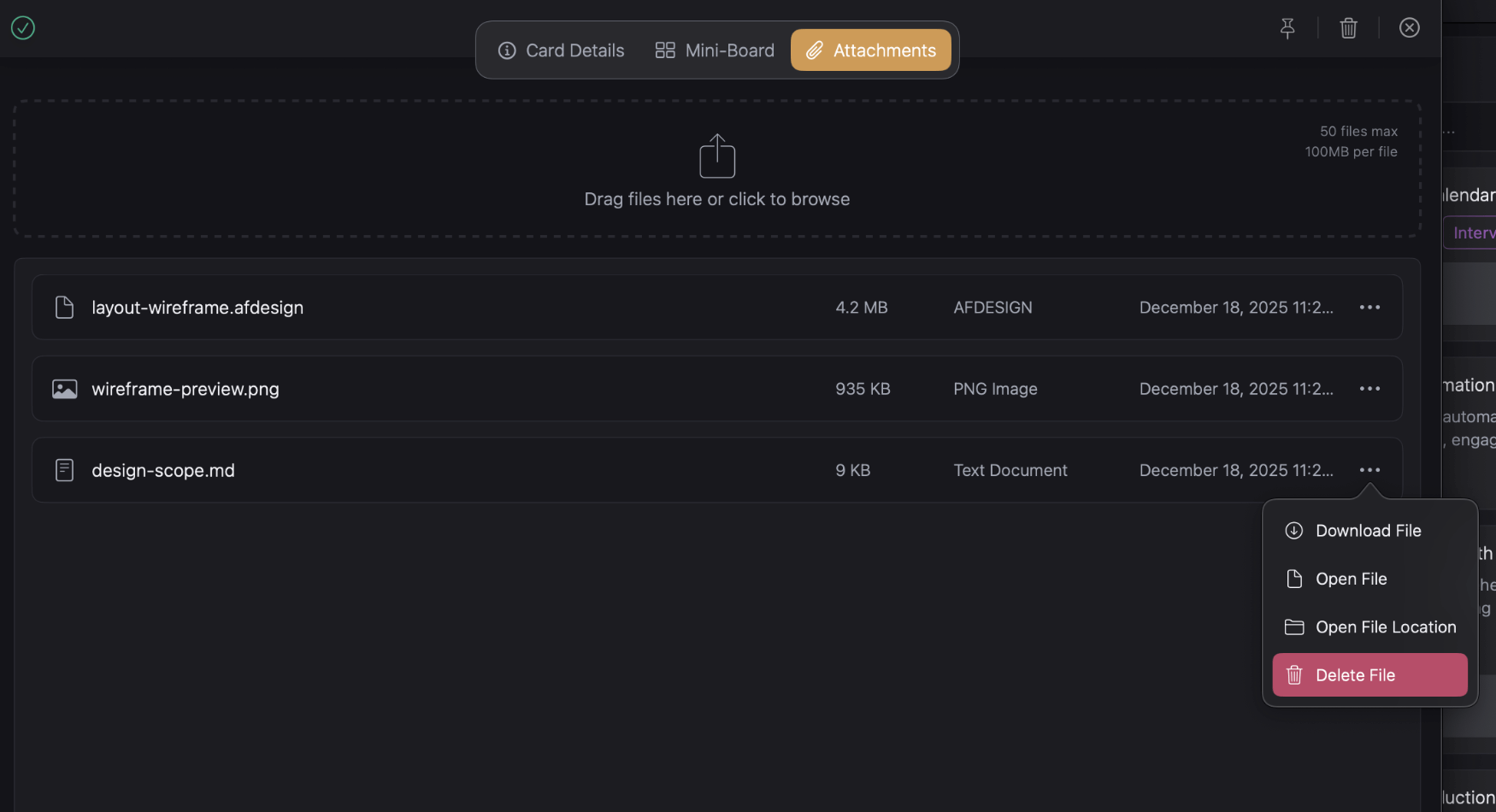
Drag files onto any card to keep everything together. Reference documents, screenshots, specifications, or deliverables. Store attachments locally on your Mac. Link attachments to specific mini-cards so files stay connected to the right subtask.
Dates & Calendar
Set deadlines, plan ahead, export to your calendar.
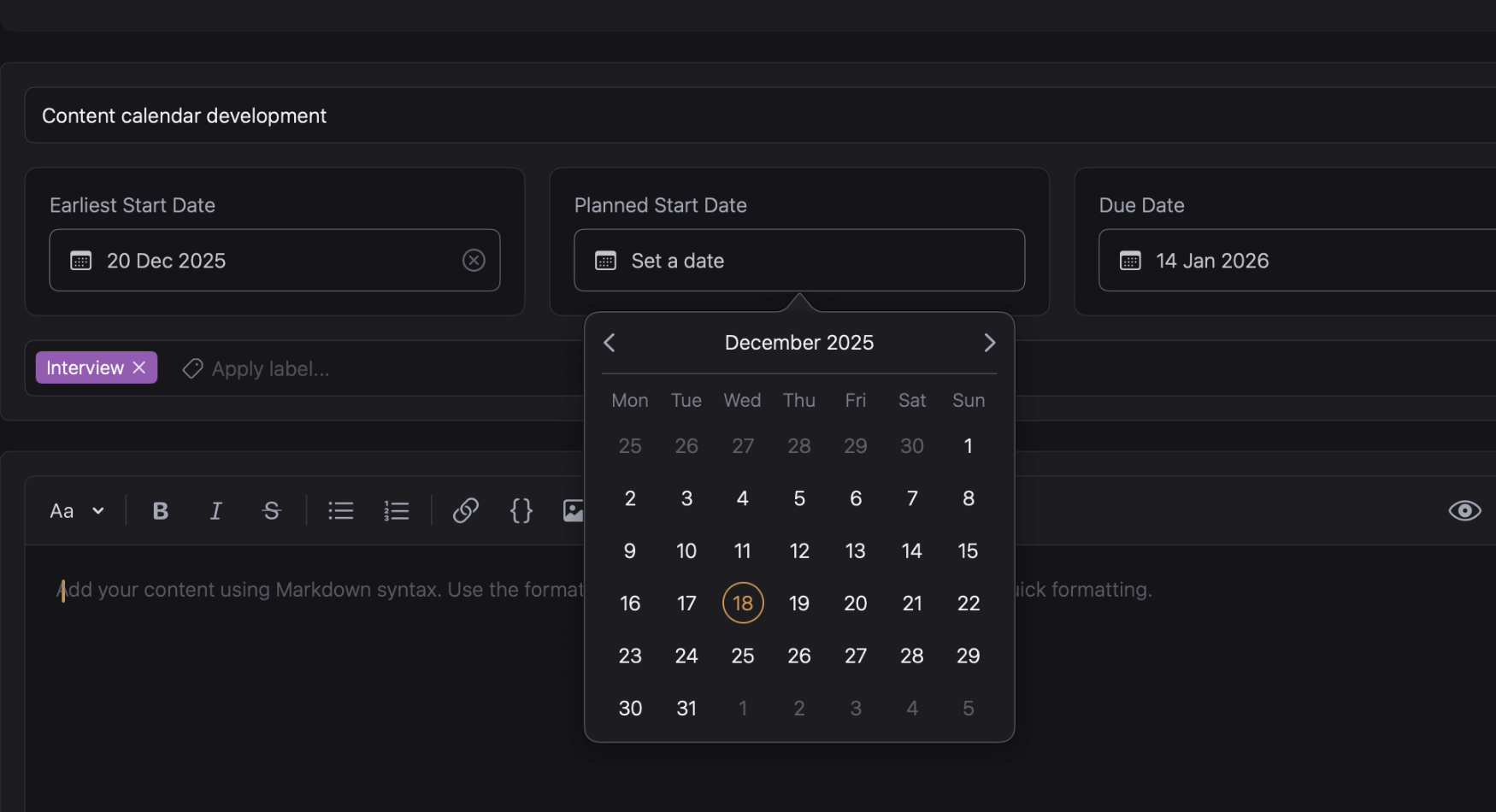
Every card can have an earliest start date, planned start date, and due date. See warnings as deadlines approach. View upcoming work in the dashboard schedule widget. When you need your dates elsewhere, export any board to an ICS file and import it into any calendar.
Built for Mac
A native app that feels at home on your desktop.
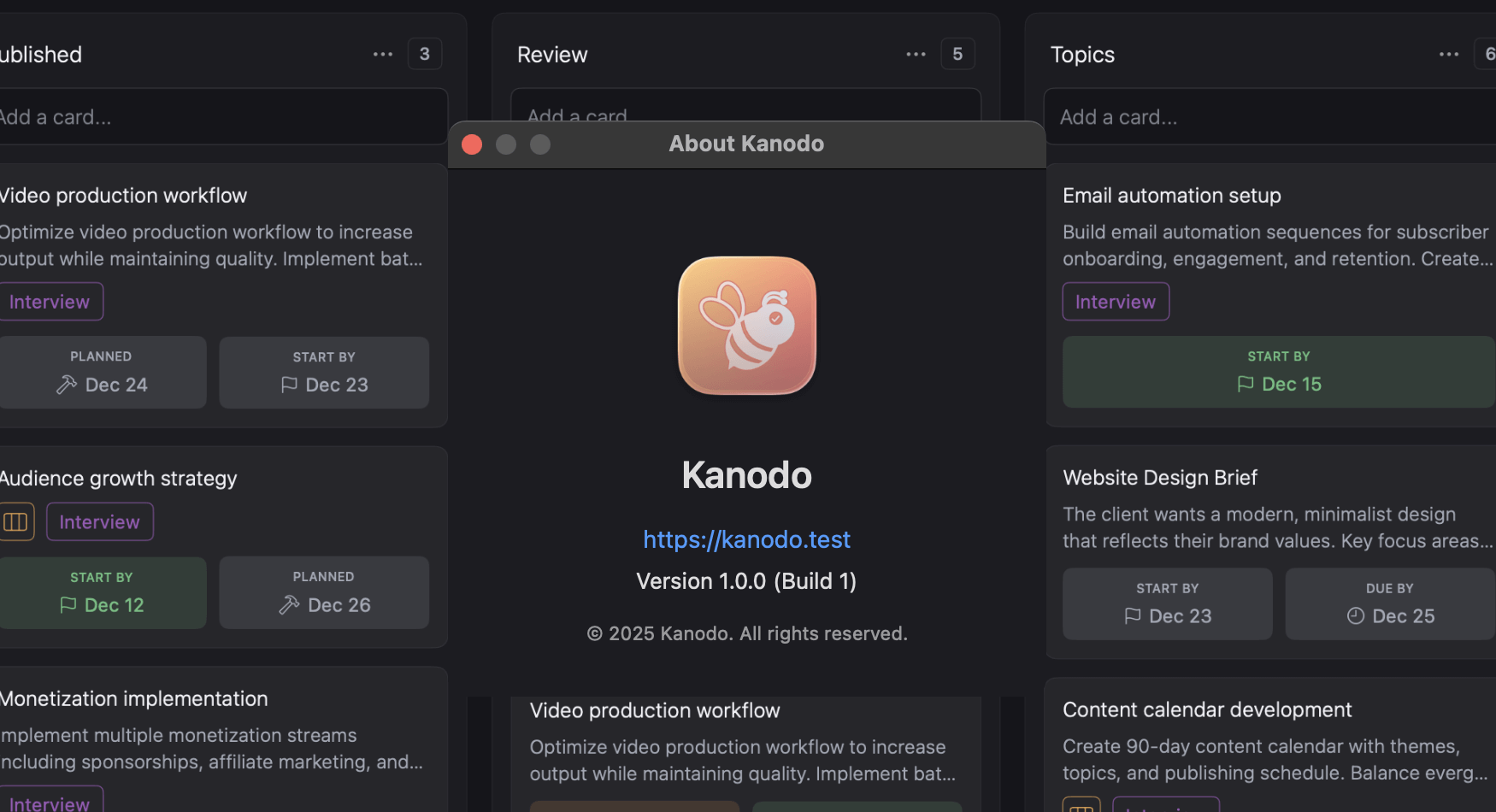
Kanodo is built with Swift for macOS. No Electron wrapper, no web app in disguise. Your data stays on your Mac, works offline, and never leaves your control. Fast performance, smooth animations, and full keyboard support. An app that respects your system and stays out of your way.
Free to Use. Pro to Grow
Try everything with generous limits. One payment unlocks unlimited. No subscriptions, ever.
Kanodo Basic
Kanodo Basic isn't a stripped-down trial. It's a fully functional kanban app with sensible limits for personal and everyday planning. Every feature, no restrictions. Upgrade to Pro when your boards need room to grow.
Kanodo Pro
Unlock unlimited everything with Kanodo Pro. Remove all capacity limits and manage as many workspaces, boards, and cards as you need. One payment, no subscriptions. For power users who need space to scale.
But wait. There's more!
Still scrolling? Good. That was the main course. Here's what else Kanodo brings to the table.
Drag & Drop
Move cards, columns, and mini-cards exactly where you want.
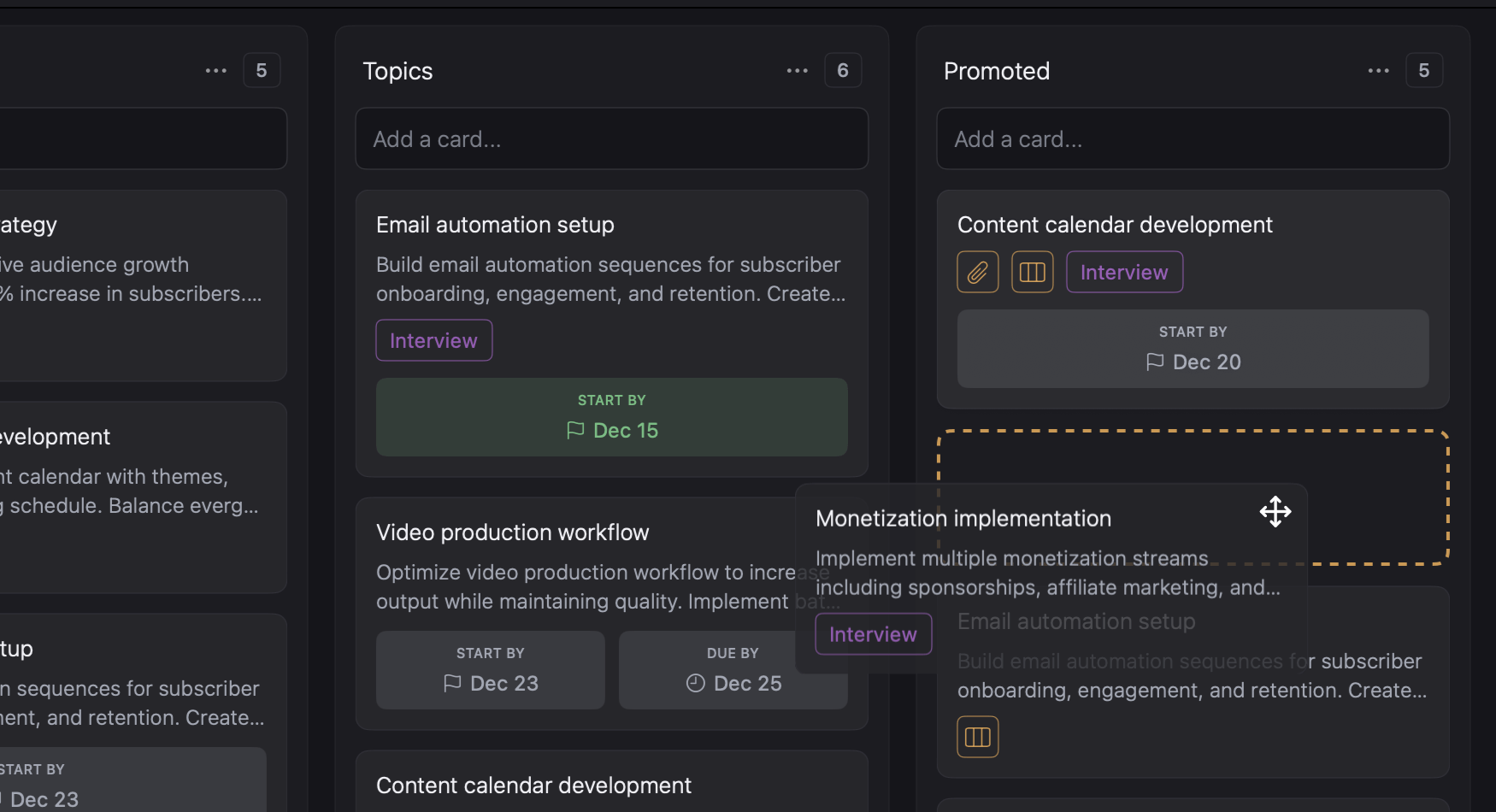
Everything in Kanodo moves with a drag. Reorder cards within columns or drag them across. Rearrange columns to match your workflow. Inside mini-boards, drag mini-cards and checklist items just the same. Smooth animations make every move feel responsive and satisfying.
Favourites & Pins
Keep important boards and cards one click away.
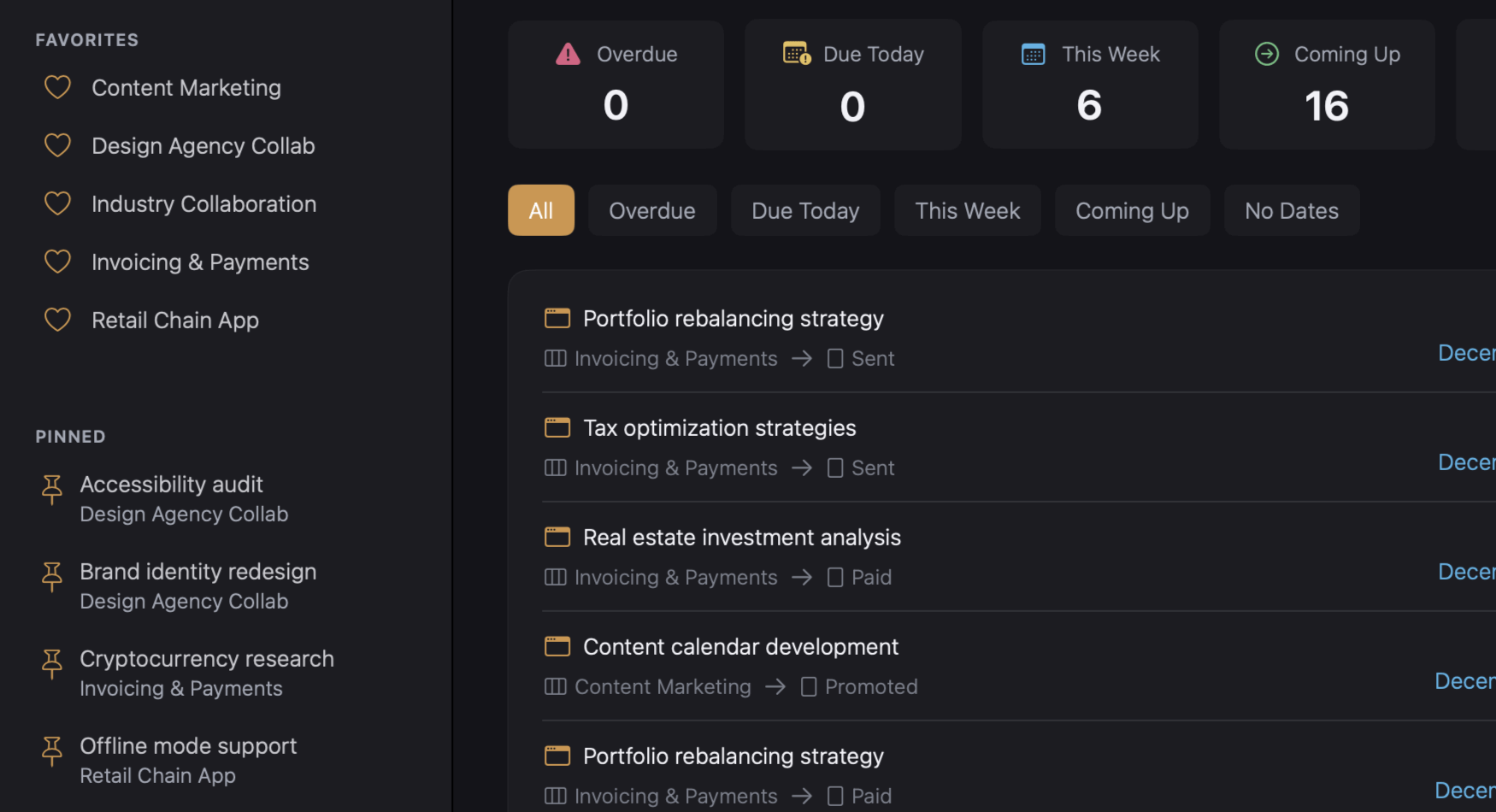
Mark boards as favourites and they appear at the top of your sidebar, no matter which workspace you're in. Pin critical cards for instant access from anywhere in the app. When something matters, you shouldn't have to dig through columns to find it. Keep what's urgent visible.
Powerful Search
Find any card, mini-card, or attachment in seconds.
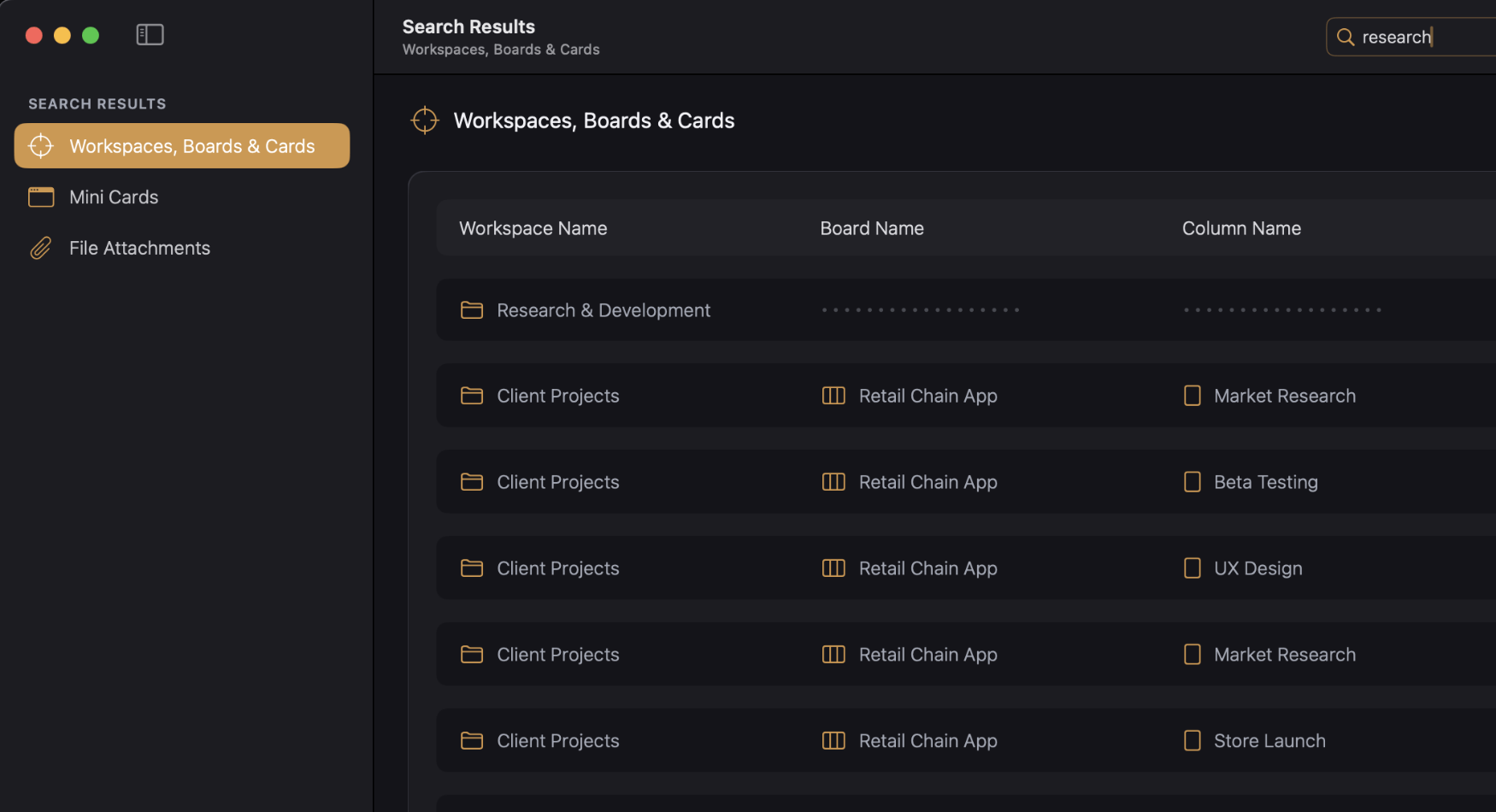
Search across all your workspaces or within a single board. Find cards by title or content, locate mini-cards buried in nested boards, or track down attachments by filename. Results appear as you type, with context showing exactly where each item lives.
Markdown Editor
Write rich card content with headings, lists, and links.
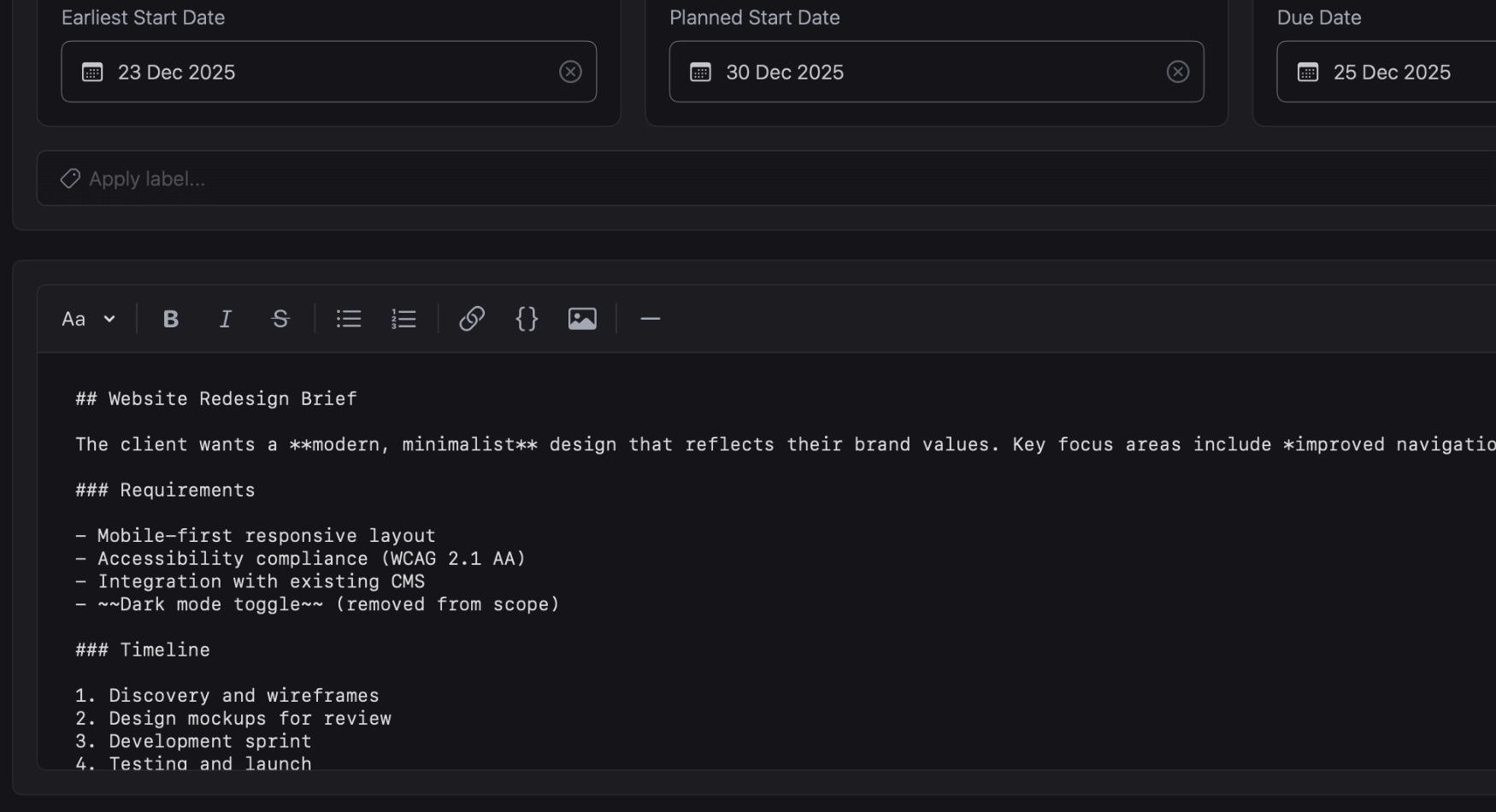
Every card has a content area that supports full Markdown formatting. Add headings, bold text, bullet lists, numbered lists, links, code blocks, and images. Use the toolbar or type Markdown directly. Toggle preview mode to see your formatted content exactly as it will appear.
Batch Card creation
Paste a list and create multiple cards at once.
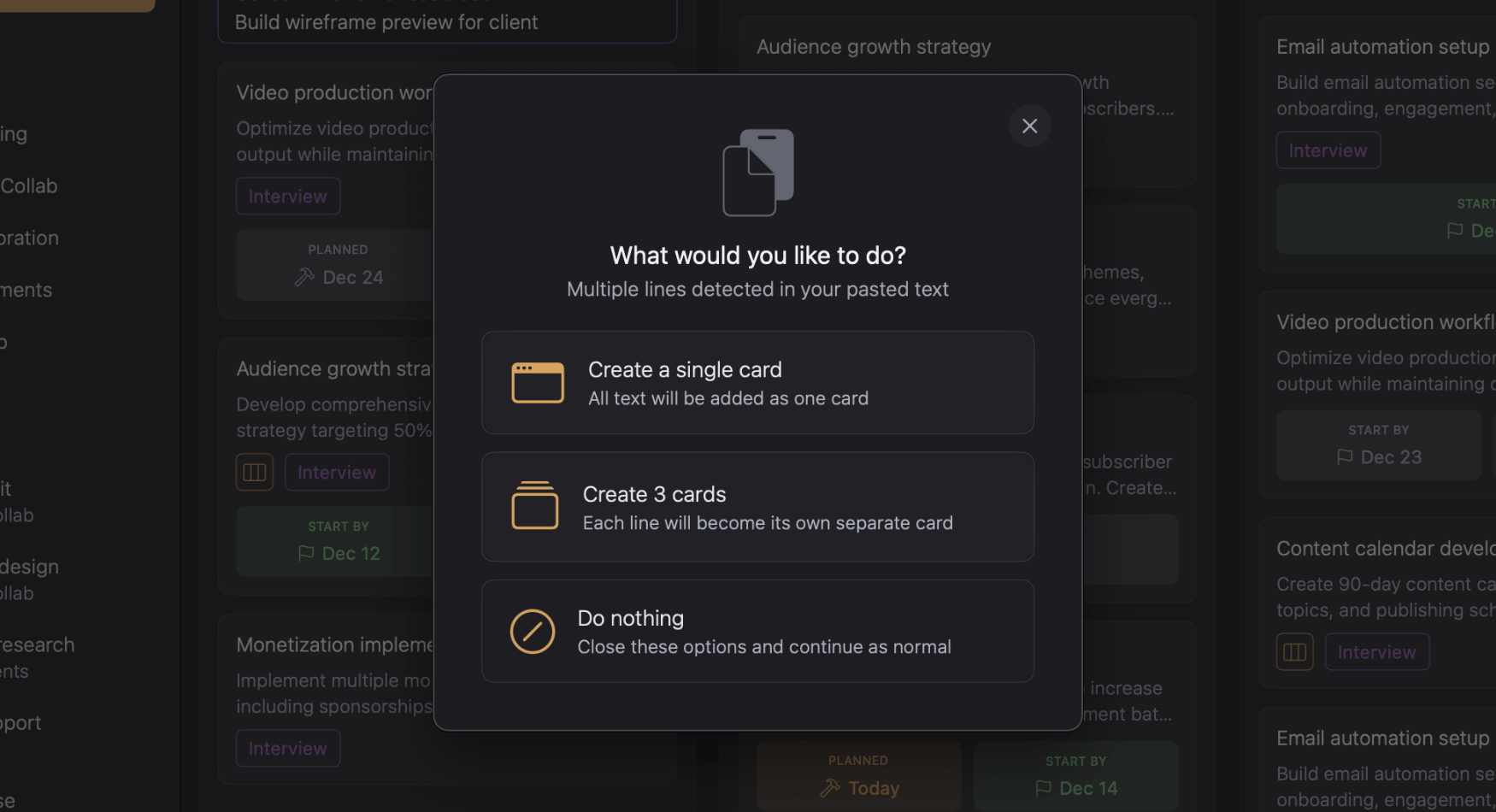
Got a list of tasks in an email or document? Paste it into the add card area and Kanodo offers to create a card for each line. Works for cards, mini-cards, and checklist items. Capture everything quickly without typing each task one by one. Bulk input, instant organisation.
iCloud Sync
Store attachments in iCloud and access them anywhere.
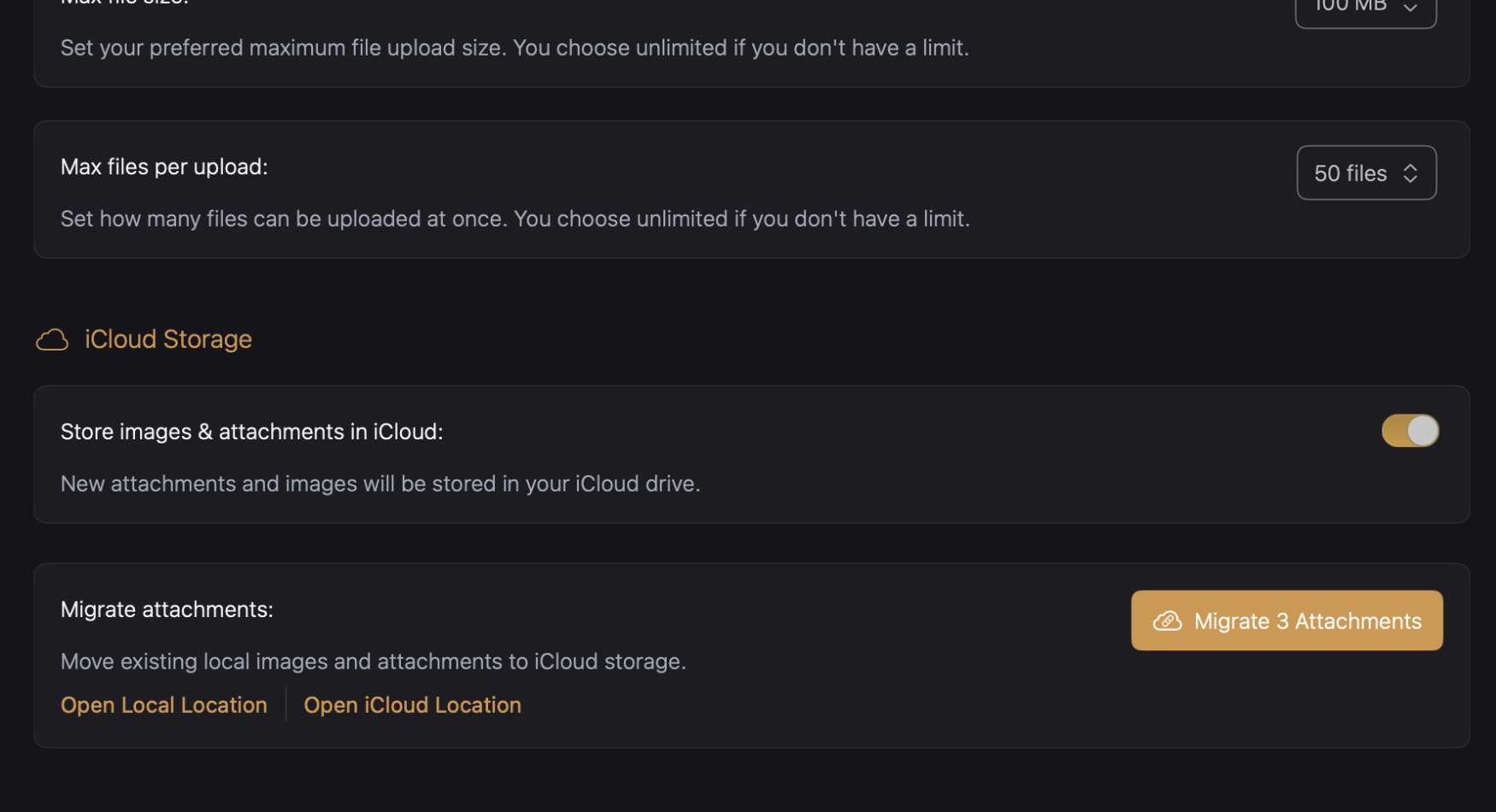
Choose where your attachments live. Keep them local on your Mac for speed and privacy, or store them in iCloud to access from other devices. Migrate existing files between storage options whenever you need. Your boards and cards stay local, but your files can travel with you.
Native Kanban with a
Natural Workflow
Workspaces, boards and cards with nested mini boards. Break down complex tasks and see the big picture.
Common Questions
We've got you covered. Quick answers to help you get started.
What is Kanodo?
Kanodo is a visual project management tool that uses the kanban methodology to help you organise tasks, track progress and manage projects.
Cards move through columns representing workflow stages, giving you a clear view of where everything stands. It runs natively on your Mac, providing a fast, responsive experience with your data stored locally.
Which devices does Kanodo support?
Kanodo is designed exclusively for macOS. It requires 14.6+ (Sonoma) or later and runs on both Apple Silicon and Intel Macs.
Built as a native Mac app optimized for performance, it launches instantly, uses minimal resources, and integrates seamlessly with native macOS features.
There are currently no iOS, iPadOS or Windows versions available.
Is Kanodo basic free to use?
Kanodo offers a basic version with full access to all features but with generous limits on how many items you can create. This allows you to fully evaluate the app before deciding to upgrade
The Pro version removes all limitations for an affordable one time purchase of £29.99. Yours to keep forever with continual updates and access to all new future features.
What are mini boards?
Mini boards let you create a nested kanban board inside a card. When a task has multiple steps, you can track them as mini cards without cluttering your main board.
Mini cards can have their own content, completion status, checklists and labels. This is perfect for complex tasks that need breaking down.
Can I set due dates on cards?
Cards support three date types: earliest start date, planned start date and due date. Dates appear as badges on cards and can show warning colours when deadlines approach.
You can configure how many days before a due date the warning appears or you can decide to disable dates altogether.
Is my data private?
Your data remains private and never leaves your computer unless you choose to enable iCloud storage for attachments.
The app stores everything locally using Core Data, giving you full control over your information. There are no accounts, no cloud services required and no tracking.
Does Kanodo require an account?
No. Kanodo does not require any account or sign up. Simply download the app from the Mac App Store and start using it immediately.
Your data and file attachments are stored locally on your Mac (unless icloud is enabled). You have complete ownership of everything you create within the Kanodo App.
Can I open multiple cards at once?
Yes. Cards open in their own windows rather than modals. This means you can have multiple card windows open at the same time, even from different boards or workspaces.
Compare tasks side by side, reference one card while working on another, or keep important cards visible while you navigate your boards. Arrange windows however suits your workflow.
Have a question not answered here? Try our other help sections below.
Also by CodelDev
More apps from the maker of Kanodo. Focused tools without the bloat
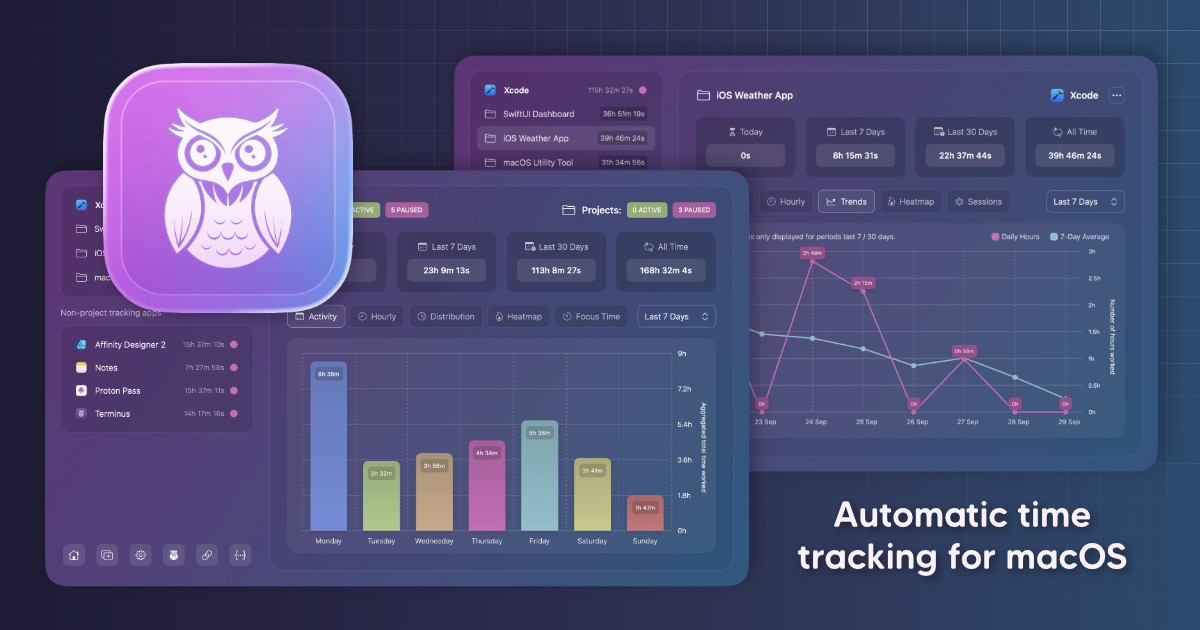
Chronode: Effortless Time Intelligence
Track your time by app or project automatically. No timers, no buttons, just open any app and work as normal.

Exoden: Invertebrates Manager
Manage your Invert collections with ease. A simple and secure invert management system for hobbyists and collectors.
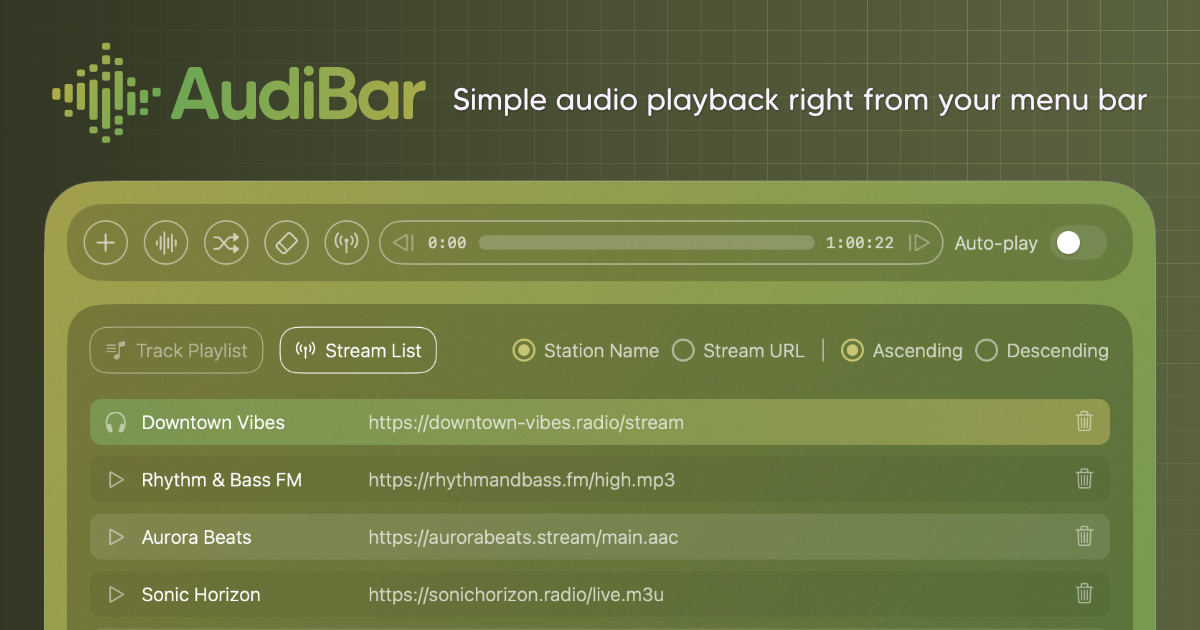
AudiBar: Simple Audio Playback
Play audio files & live streams directly from your menu bar, keeping your desktop clean with playlists when needed.
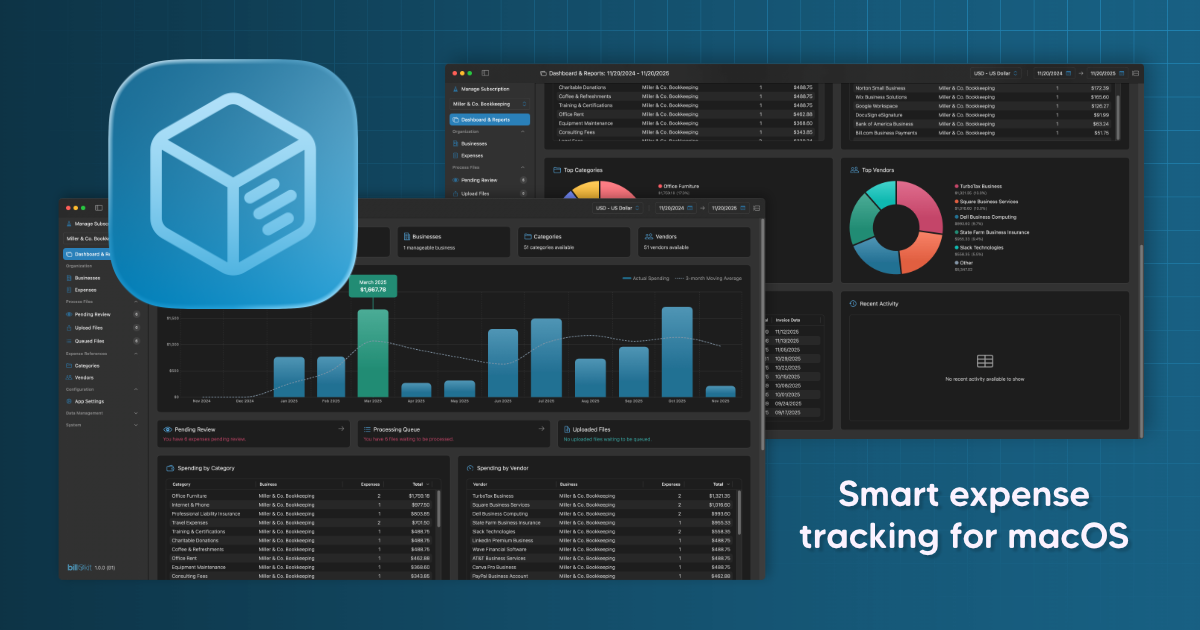
BillKit: Smart Expense Tracking
Upload invoices and photos, AI reads the details. No manual typing, no spreadsheets, just intelligent extraction