About Us

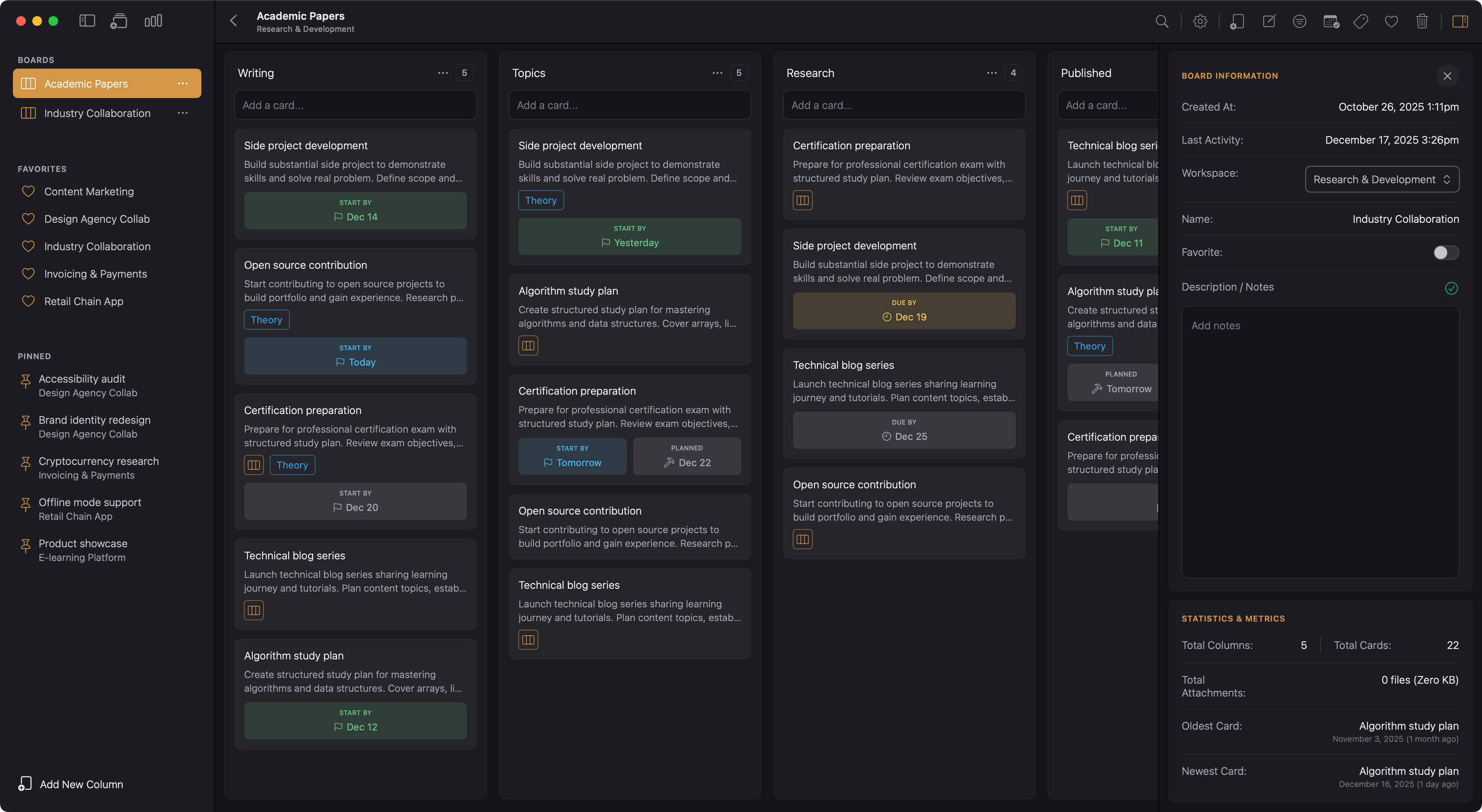
A Kanban system for macOS. Cards in windows. Mini-boards in cards. Finally

The Wrong Kind of Friction

I was using Trello to manage my tasks, but the experience never felt right. The web version was clunky, the Mac app wasn't native, and the free tier felt restrictive without paid plugins. Every time I opened a card, it appeared as a small modal that blocked everything else. I couldn't have two cards open at once. I couldn't compare tasks side by side. I was constantly clicking, closing, searching, and clicking again.

Other solutions existed, but they all had the same problems. Some looked like kanban boards but weren't really kanban at their core. They tried to be everything: databases, documents, wikis, spreadsheets, and project managers all rolled into one. I didn't need all that. I just wanted a kanban board that looked, acted, and worked like a kanban board. Nothing more.

The pricing didn't help either. Monthly subscriptions for features I'd never touch. Plugins and add-ons that cost extra. I was paying for complexity I didn't ask for. I kept thinking there had to be something better. A kanban app that just did kanban. Something built properly for Mac, not ported as an afterthought. After searching and settling for compromises, I started writing down exactly what I wanted.

What I Actually Needed

I wanted something native to Mac. Not a web app wrapped in Electron, but a proper macOS application built with Swift that felt at home on my computer. Something that worked offline, kept my data local, and gave me the option to use iCloud for attachment backups if I chose to.

More than anything, I wanted two things no other app offered. First, the ability to open cards in their own windows rather than modals. I needed to work on related tasks simultaneously without constantly opening and closing things. Second, mini-boards inside cards. When a task has multiple steps, I wanted to break it down right there within the card rather than cluttering my main board with dozens of smaller cards.

I found one native solution that came close. It worked, but it was bare bones. I knew I could do better. I could build exactly what I'd been looking for.

Kanban, Nothing More

Kanodo is the result. It does one thing well: kanban task management for Mac. Workspaces to separate areas of your life. Boards for individual projects. Columns for workflow stages. Cards for tasks. And inside those cards, mini-boards to break complex work into smaller steps without the clutter.

Cards open in their own windows. Work on your login page and password reset page at the same time. Pin important cards to the sidebar for quick access. Keep what you need visible and forget about the constant clicking.

I built it for myself first, designing around what I actually needed rather than what looked impressive on a features list. The more I worked on it, the more I realised nobody else was offering this combination. A native Mac kanban app with mini-boards and multi-card windows simply didn't exist.

The basic version gives you everything to get started, and Kanodo Pro removes all limits when you need more room.

See the app in action for yourself

If you're a freelancer, developer, creative, or anyone who wants focused task management without the bloat, Kanodo might be exactly what you need.

Download Kanodo and give it a week with your current projects. Create a workspace, set up a board, and try breaking down a complex task with a mini-board. Open a few cards side by side. I think you'll find it hard to go back to modals and feature-stuffed alternatives.

Kanodo Workspace Kanban Board

Native Kanban with a
Natural Workflow

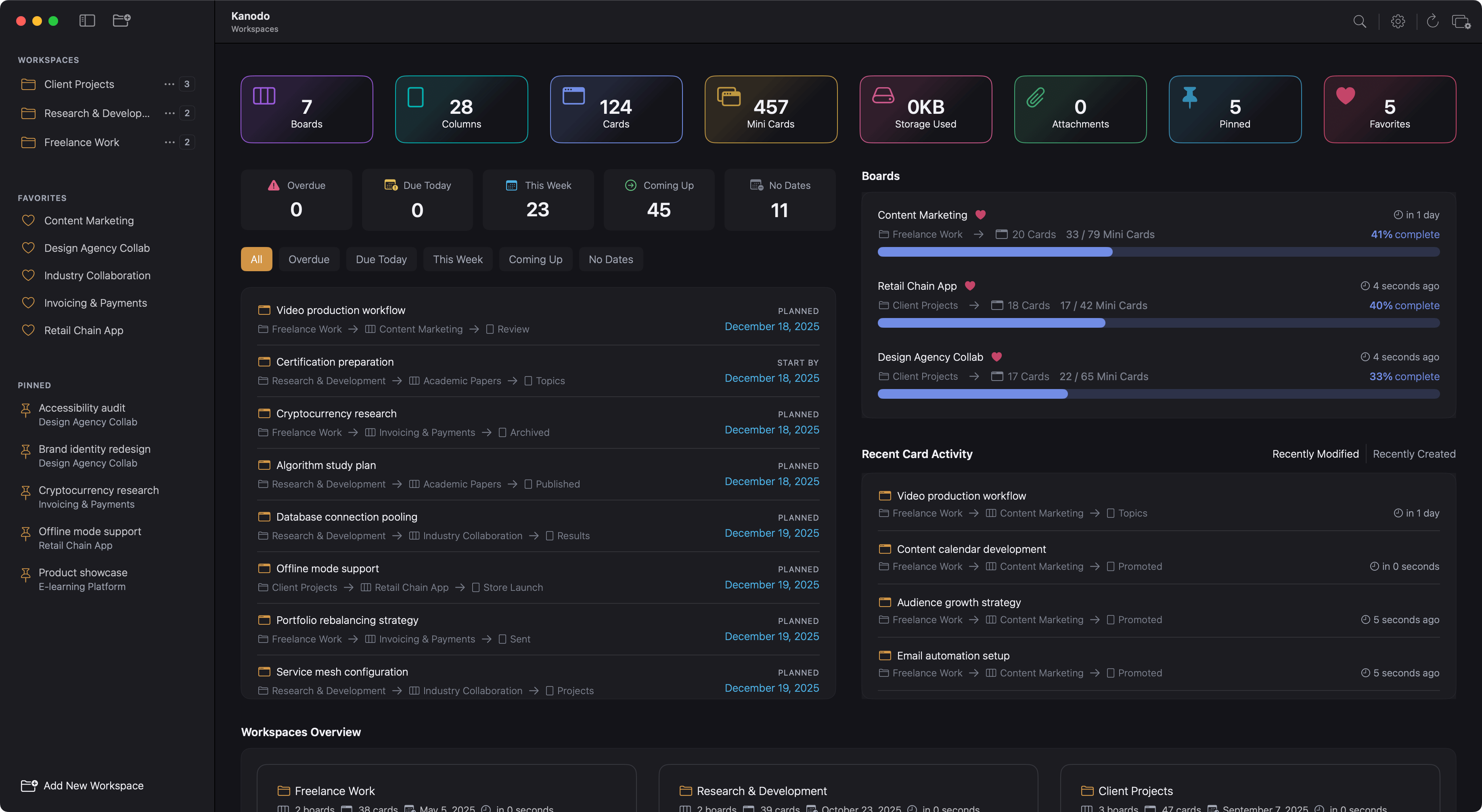
Workspaces, boards and cards with nested mini boards. Break down complex tasks and see the big picture.

Mini Boards
Multi Cards
Dashboards
Offline Ready
MacOS 14.6+
Kanodo app dashboard

Common Questions

We've got you covered. Quick answers to help you get started.

What is Kanodo?

Kanodo is a visual project management tool that uses the kanban methodology to help you organise tasks, track progress and manage projects.

Cards move through columns representing workflow stages, giving you a clear view of where everything stands. It runs natively on your Mac, providing a fast, responsive experience with your data stored locally.

Which devices does Kanodo support?

Kanodo is designed exclusively for macOS. It requires 14.6+ (Sonoma) or later and runs on both Apple Silicon and Intel Macs.

Built as a native Mac app optimized for performance, it launches instantly, uses minimal resources, and integrates seamlessly with native macOS features.

There are currently no iOS, iPadOS or Windows versions available.

Is Kanodo basic free to use?

Kanodo offers a basic version with full access to all features but with generous limits on how many items you can create. This allows you to fully evaluate the app before deciding to upgrade

The Pro version removes all limitations for an affordable one time purchase of £29.99. Yours to keep forever with continual updates and access to all new future features.

What are mini boards?

Mini boards let you create a nested kanban board inside a card. When a task has multiple steps, you can track them as mini cards without cluttering your main board.

Mini cards can have their own content, completion status, checklists and labels. This is perfect for complex tasks that need breaking down.

Can I set due dates on cards?

Cards support three date types: earliest start date, planned start date and due date. Dates appear as badges on cards and can show warning colours when deadlines approach.

You can configure how many days before a due date the warning appears or you can decide to disable dates altogether.

Is my data private?

Your data remains private and never leaves your computer unless you choose to enable iCloud storage for attachments.

The app stores everything locally using Core Data, giving you full control over your information. There are no accounts, no cloud services required and no tracking.

Does Kanodo require an account?

No. Kanodo does not require any account or sign up. Simply download the app from the Mac App Store and start using it immediately.

Your data and file attachments are stored locally on your Mac (unless icloud is enabled). You have complete ownership of everything you create within the Kanodo App.

Can I open multiple cards at once?

Yes. Cards open in their own windows rather than modals. This means you can have multiple card windows open at the same time, even from different boards or workspaces.

Compare tasks side by side, reference one card while working on another, or keep important cards visible while you navigate your boards. Arrange windows however suits your workflow.

Have a question not answered here? Try our other help sections below.