Shipped - v1.0.1(B3)
Welcome to Kanodo! Your visual kanban task management companion for macOS.
What's Included
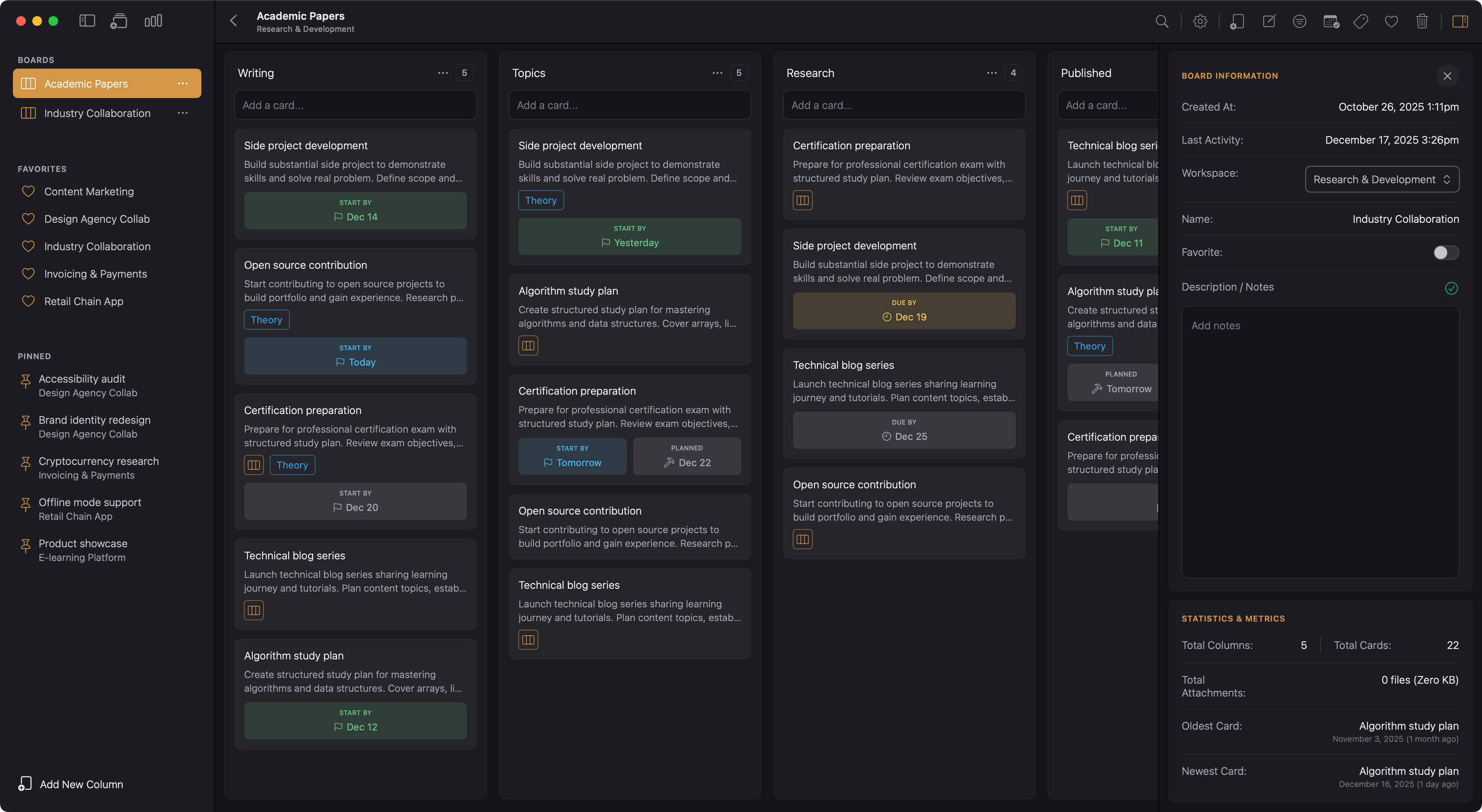
Workspaces & Boards
- Organise work into separate workspaces for different areas of your life
- Reorder workspaces by dragging in the sidebar
- Create boards for individual projects with custom columns
- Board sidebar panel with description, statistics, and label management
- Board statistics showing total columns, cards, attachments, and activity dates
- Favourite boards for quick access from any workspace
- Reorder boards within workspaces
- Export board dates to ICS calendar format
Columns & Workflow
- Create custom columns to match your workflow
- Reorder columns by dragging headers
- Optional card count display in column headers
- Clear all cards from a column in one action
- Configurable column width
Cards
- Cards with titles and rich Markdown content
- Markdown editor with headings, bold, italic, strikethrough, lists, links, code blocks, and images
- Editor toolbar with preview mode
- Auto-save as you type
- Three date types: earliest start, planned start, and due date
- Date validation ensures logical date combinations
- Configurable date badge visibility (always, smart, or hidden)
- Warning colours for approaching and overdue deadlines
- Configurable warning threshold in days
- Batch card creation by pasting multiple lines
- Drag and drop to move and reorder cards
- Pin important cards to the sidebar
- Cards open in separate windows for multi-tasking
Mini-Boards
- Nested mini-boards inside cards for complex task breakdown
- Create multiple mini-columns per card
- Reorder mini-columns by dragging
- Mini-cards with content and completion tracking
- Checklists within mini-cards for finer detail
- Reorder checklist items by dragging
- Batch mini-card creation by pasting multiple lines
- Apply board labels to mini-cards
- Link parent card attachments to specific mini-cards
- Completion progress visible from parent card
Labels
- Create colour-coded labels with full colour picker
- Edit label names and colours (updates everywhere automatically)
- Apply multiple labels to cards and mini-cards
- Labels are unique per board for project-specific categorisation
Attachments
- Drag-and-drop files onto cards
- File picker for browsing and selecting files
- File type icons for easy identification
- Open attachments in default application
- Download attachments to custom location
- Reveal file location in Finder
- Configurable maximum file size limit
- Configurable maximum files per upload
- Local storage by default
- Optional iCloud storage with sync across devices
- Migration tools between local and iCloud storage
- Link attachments to mini-cards for subtask reference
Dashboards
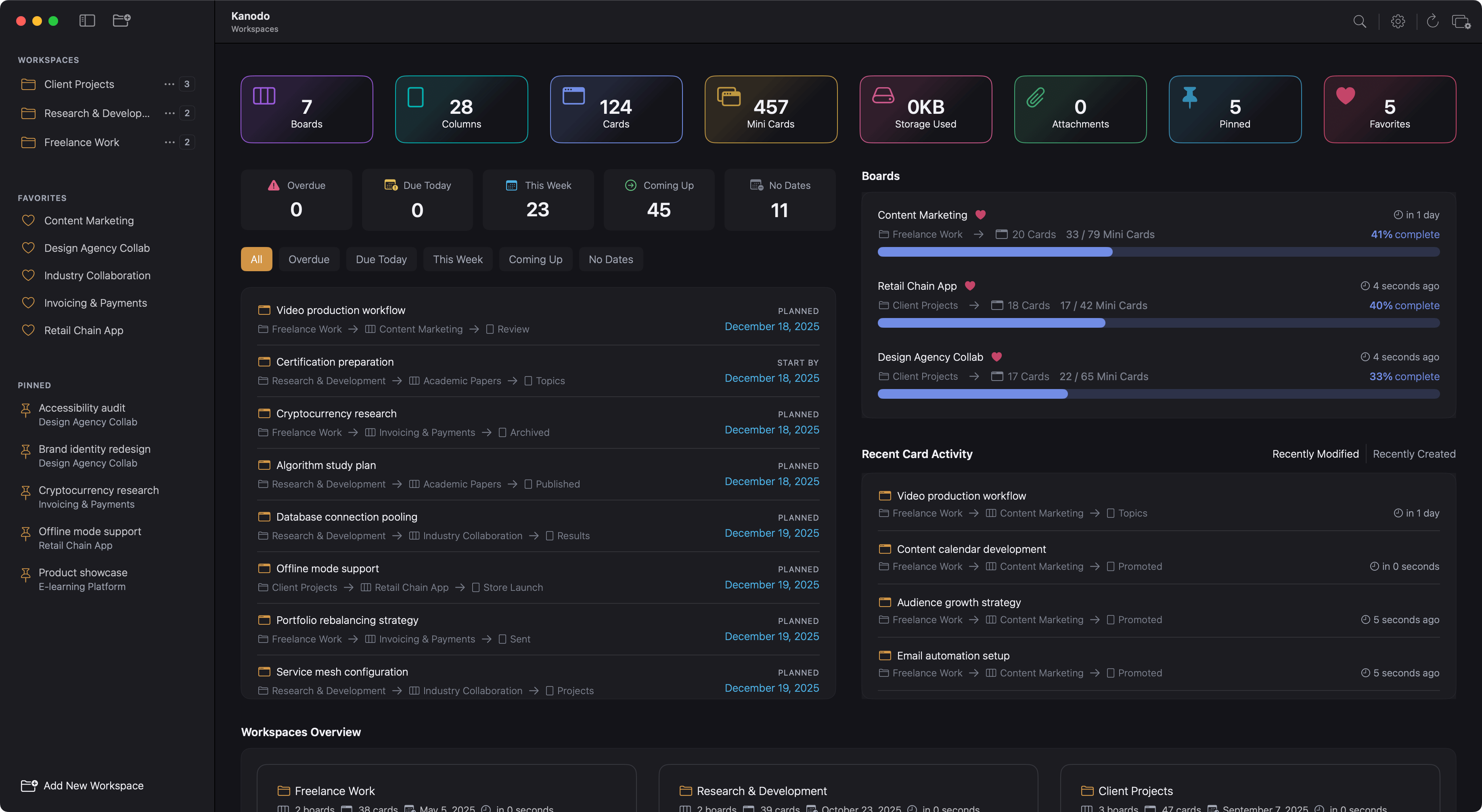
- Workspace dashboard with overview of all boards
- Workspaces dashboard for cross-workspace overview
- Statistics widget showing cards, mini-cards, and active items
- Boards widget with card counts per board
- Activity widget with recently modified and recently created views
- Schedule widget with date filters (overdue, this week, coming up, due, no dates)
- Card distribution by column chart
- Card distribution by label chart
- Workspaces grid for top-level overview
- Customise which widgets appear
- Option to disable dashboards entirely
Filtering
- Filter by one or more labels
- Filter by cards with attachments
- Filter by cards with content
- Filter by cards with mini-boards
- Combine multiple filter types
- Visual indicator when filters are active
- Reset all filters in one click
Search
- Board search filters current board in real-time
- Global search across all workspaces and boards
- Dedicated mini-card search
- Attachment search by filename
- Results organised by workspaces, boards, and cards
- Click any result to navigate directly
Calendar Export
- Export dated cards to ICS format
- Creates separate events for each date type
- Events include card name, board name, and column context
- Content preview in event description
- Compatible with Apple Calendar, Google Calendar, and Outlook
Settings & Customisation
- Light, dark, or system appearance
- App or system accent colour
- Configurable long and short date formats
- Toggle confirmation dialogs on delete
- Show or hide scrollbars
- Show or hide favourites section
- Show or hide pinned cards section
- Show board count next to workspaces
- Adjustable column width
- Toggle card count in column headers
- Toggle card dates feature
- Toggle date badge labels
- Configure date visibility per date type
- Set visibility threshold in days
- Set warning threshold in days
- Toggle card labels feature
- Set default download location for attachments
- Configure upload limits
Beautiful Native Interface
- Built with Swift for macOS
- Smooth animations and responsive design
- Drag-and-drop throughout
- Keyboard navigation support
- Welcome screen with sample data option